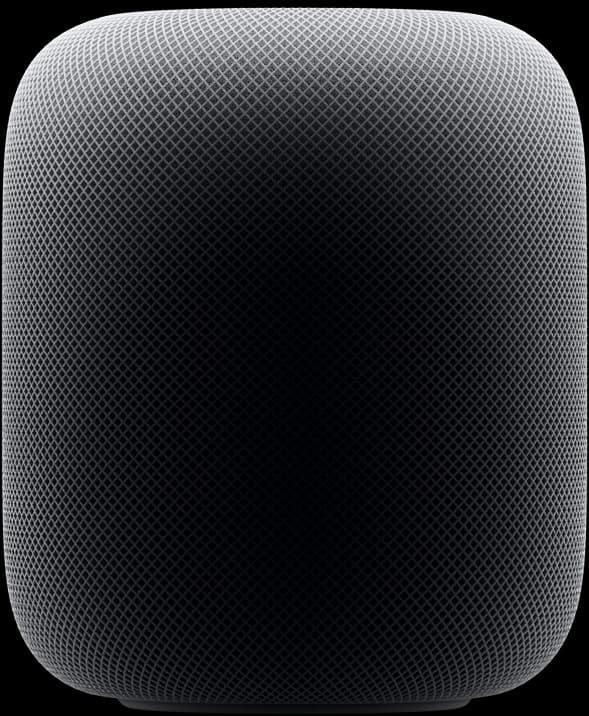
I lived with a single HomePod for two weeks before I broke down and bought the second one. The first one sat on a bookshelf playing podcasts in the kitchen, and it was fine — better than fine, actually, with the kind of clean midrange Apple has been quietly good at since the original HomePod. But I kept thinking the same thing every time I sat down with it: this is a $299 speaker doing a $150 speaker's job.
The second one changed the math. Paired in stereo, parked on either side of the TV, and handed off to an Apple TV 4K, the two HomePods do something I did not expect from a pair of upright eggs. Dialogue sits in the center. Music wraps around the couch. A helicopter actually moves from left to right across the room. I cancelled the soundbar I had open in another browser tab and have not looked back.
What Apple gets right here is the setup. Hold an iPhone next to the speaker, agree to a couple of prompts, name a room, and the thing is on your network and playing music inside of a minute. The S7 chip listens to the room and adjusts itself, and unlike most "room correction" features I've used, this one is doing something I can hear — the bass tightens up when I move the speaker closer to a wall, the treble softens when it's on a hard surface. The new temperature and humidity sensors and Matter/Thread support are quietly useful in a smart home and irrelevant if you don't have one.
The catches are real and worth knowing before you spend $600. You cannot set this thing up without an iPhone. There is no Android path, no web setup, no "plug it in and use Spotify" out of the box — and yes, Spotify only works through AirPlay, which means using your phone to start playback rather than asking the speaker to do it. As a MacBook output, AirPlay can also lag or skip in ways that a wired speaker never would; I learned not to trust it for video calls.
The other small thing nobody warned me about: the rubber base left a faint ring on my walnut side table after a week. Not damage, exactly, but a mark that took some olive oil to lift. Put it on a coaster or a felt pad and forget about it.
Price-per-feature, a single HomePod is hard to defend against the HomePod mini at $99, which does most of the same tricks at a third of the size and a third of the price. The stereo pair is the actual product. If your living room has an Apple TV and you've been eyeing soundbars in the $500–800 range, two HomePods will surprise you — and they double as music speakers, which a soundbar mostly does not.
Verdict: Buy two if you already own an Apple TV and want surround without running cables across the room. Skip the single, or buy a mini and put the rest toward something else.