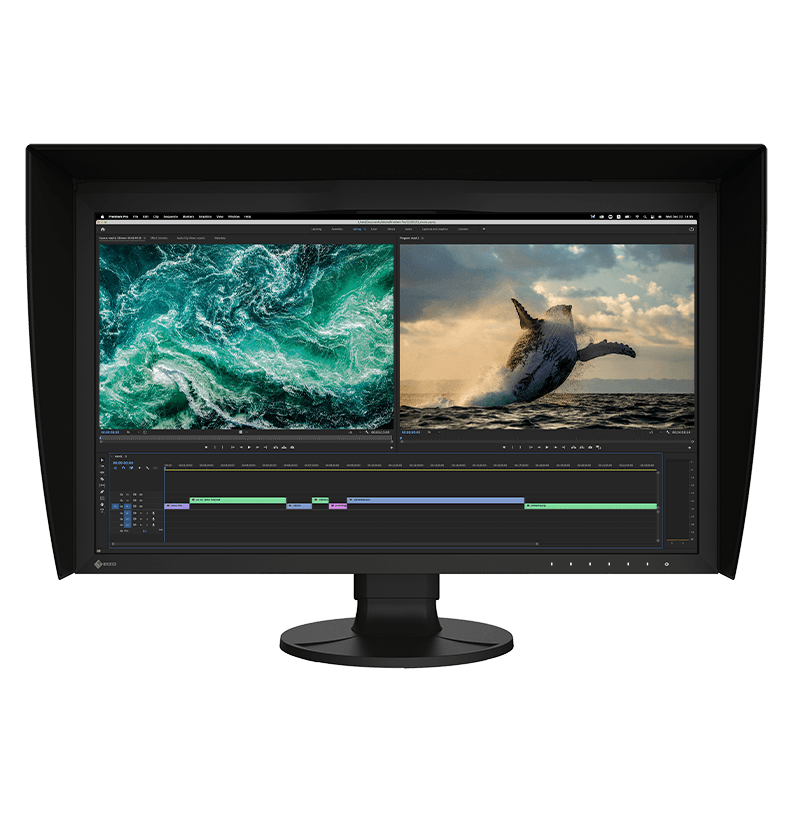
The first time I watched the calibrator swing out of the bezel and recalibrate the monitor on its own, I laughed out loud. I had spent ten years storing a separate i1 Display Pro in a drawer, fishing it out every few weeks, hanging it on the monitor with a counterweight, running the software, waiting twenty minutes, putting it back. Eizo's answer is: don't do any of that. Schedule it, walk away, the monitor handles it. After two months on this display I had recalibrated four times without thinking about it, which is four more times than I would have managed with any other workflow.
The panel is what you'd hope for from a monitor at this price. 27 inches at WQHD, 1.07 billion colors via a 10-bit panel with a 16-bit lookup table, 99% AdobeRGB, 98% DCI-P3. The 3D LUT has presets for BT.709, BT.2020, DCI-P3, PQ, HLG — the broadcast and cinema standards a working colorist actually delivers to. Eizo claims color stability in three minutes from cold, which I am skeptical of in marketing but which has matched my experience: the monitor is usable for critical work almost immediately after switching on, not after the typical 30-minute warmup.
The built-in calibrator is the only feature here that justifies the price by itself. Over a five-year ownership window — and this monitor ships with a five-year warranty including a 10,000-hour color and brightness warranty, which no other manufacturer offers — you're avoiding the cost of a separate colorimeter, the disappointment when it ages out of accuracy, and the friction that means most professionals recalibrate less often than they should. The zero bright sub-pixel guarantee for the first six months is another small piece of professional confidence.
Connectivity is more practical than you'd expect from a reference monitor. USB-C with 92W power delivery means a single cable docks a laptop. DisplayPort, HDMI, an RJ-45 Ethernet jack, four USB-A ports. The cable management on my desk is better with the Eizo than it was with my old setup, which I did not anticipate.
The limitations are by design. WQHD instead of 4K at 27 inches means a pixel pitch that is large by modern standards, and if you came from a 4K display the text will look slightly soft for a week. 60Hz only, no VRR, no high-refresh — this is not a gaming monitor and isn't pretending. 400 cd/m² brightness is reference-class for SDR and not enough for HDR finishing the way a CG3146 or a Sony BVM would do it.
The price is the conversation. Eizo charges multiples of what BenQ or ASUS asks for similar gamut coverage. For a designer who delivers to web and just wants accurate sRGB, that math doesn't work — a PD2700U at a third of the price will do the job. For a colorist, a print retoucher, or a broadcast finisher whose week includes a calibration step they actually need to keep, this is the monitor that absorbs the chore and gives you back the time.
Verdict: Buy this if you work in print, broadcast, or color-critical photography and a wrong color call costs real money or real hours. If you're a general designer, a PD2700U or a ProArt at half the price will do.