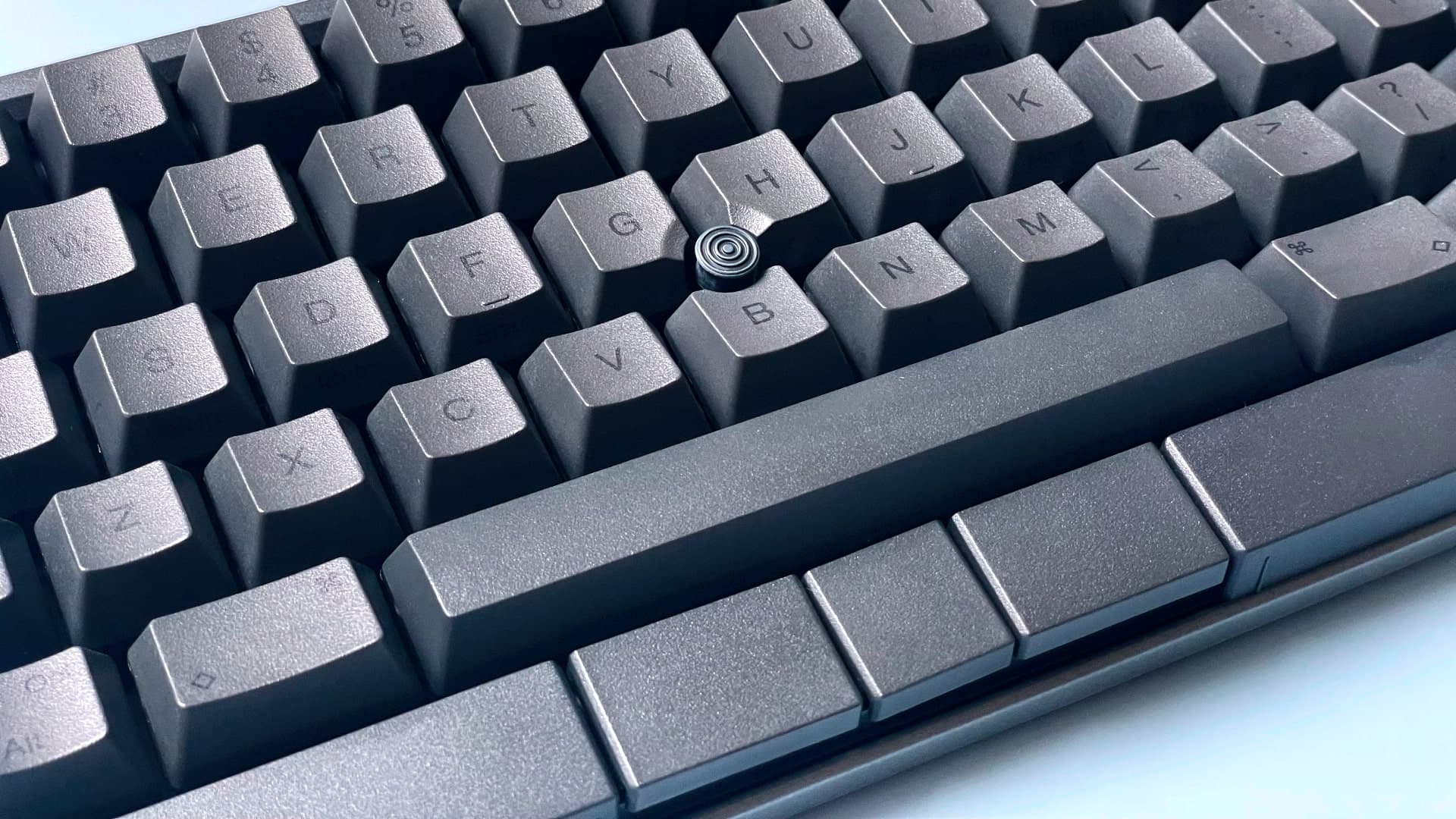
I have wanted to like an HHKB for ten years and never gotten past the layout. The control key is where caps lock is, there are no arrow keys, the function row lives on a layer, and the right side of the board has been redesigned to confuse anyone who learned to type on a normal keyboard. I bought the Studio with the assumption that I would return it within the two-week window.
I did not return it. What changed my mind was the trackpoint. It is the same little red nub you remember from a ThinkPad, sitting between the G, H, and B keys, and it works the same way. Once I retrained my thumbs to hit the mouse buttons under the spacebar, I stopped moving my hand off the home row for entire workdays. The four gesture pads on the edges of the case handle scroll, volume, and whatever else you bind them to. The whole thing collapses the gap between "typing" and "navigating" in a way I did not know I wanted.
The switches are the other reason this keyboard has a cult. Topre-style capacitive switches, in this case PFU's own, do not feel like any mechanical you've used. They have a soft initial press, a satisfying bump at the activation point, and a quiet, dense thock that's closer to a high-end laptop keyboard than to a Cherry MX board. After two weeks I find them less fatiguing than the lubed linears on the Lemokey L3 next to it. After a month I noticed I was typing for hours without thinking about the keyboard, which is the entire point of a keyboard.
The Studio adds things the classic HHKB never had: Bluetooth (four devices), USB-C, hot-swap switches (sort of — they're still Topre, but you can swap them now), and dedicated key blocks you can pop off and reposition. The build is plastic but dense, and the keycaps are PBT with the cleanest legends I've ever seen on a stock board.
The catches are not subtle. $385 is a real number, and you are paying it for a keyboard with no arrow keys, no function row, and a layout that you will fight for the first week. The trackpoint, brilliant as it is, requires a profile in the settings app to feel right — out of the box mine was either glacial or twitchy, with nothing in between. And the gesture pads have one quirk: they trigger on accident if you rest your palms wide, which is exactly how I used to rest my palms.
This is a keyboard with opinions about how you should type. If you let it teach you, you will be faster and more comfortable than you were before. If you fight it, you'll resent it for a month and sell it. The HHKB people I know all describe the same conversion arc.
Verdict: Buy this if you spend all day in text, you've already moved control to caps lock in software, and you want a keyboard that disappears under your hands.