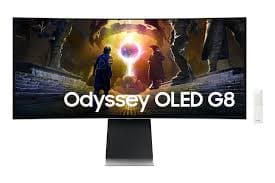
I plugged this in for a weekend and ended up watching most of a season of a show on it before I touched a game. That is either an endorsement of how convenient the built-in Tizen is or a warning about how aggressive the Smart TV layer feels, depending on what you wanted out of a monitor. Samsung has built a 4K/240Hz QD-OLED that doubles as a streaming TV in a 32-inch panel, and the people who are going to love this monitor and the people who are going to hate it are not the same people.
The panel itself is excellent on the same terms as any other QD-OLED I've used. Color reproduction is rich, contrast is the real kind that comes from individually-lit pixels, motion is OLED-smooth. HDR peaks at around 779 nits in a 10% window with Peak Brightness and Active tone mapping switched on, which is solidly competitive for the format — small bright objects on dark backgrounds genuinely punch. Near-perfect 2.2 gamma and a 6800K color temperature mean you don't have to do much tuning out of the box.
The SDR brightness is the soft spot. 206 nits sustained is low even by OLED standards, and on a bright desk this is a monitor that benefits from window blinds. Indoors with controlled light it's fine. In a sunlit room it's a fight, and a Mini-LED competitor like a Neo G8 will outshine it without trying.
The Tizen layer is the love-it-or-hate-it feature. The remote and Netflix and Hulu and a half-dozen cloud gaming services are all baked in, so when you walk away from the keyboard and want to watch something you don't fish a Fire Stick out of a drawer. The flip side is that the same Tizen layer is pushing ads at you in the home screen, occasionally taking precedence over PC input switching, and generally behaving the way a Samsung Smart TV behaves — which is to say, like it has its own agenda. I disabled most of it within a day. You can do that. You can't really make it disappear.
The connectivity is more dated than it should be at $1,299. Two HDMI 2.1 ports, DisplayPort 1.4, two USB-A, Wi-Fi 6E and Bluetooth 5.2 onboard — no USB-C, which is a strange omission on a productivity-capable display in 2026 and means anyone using this with a single-cable laptop dock workflow has to look elsewhere. Adaptive Sync works most of the time and produced an occasional garbled line at the bottom of the screen on mine, which Samsung will probably patch but hasn't. The built-in speakers are present and not worth using.
None of that hurts the use case this monitor was built for. If you want a single 32-inch display that is a high-end gaming monitor at your desk and a streaming TV in the corner of a bedroom or studio apartment, this is the right answer. If you're a PC purist who wants 4K and 240Hz OLED without a Samsung smart layer, the Alienware AW3225QF is the cleaner answer for a hundred bucks less.
Verdict: Buy this if you want one display that's a fast PC gaming monitor and a streaming TV without a separate box. If you want clean 4K/240Hz QD-OLED without Tizen, the Alienware AW3225QF is the better PC monitor.