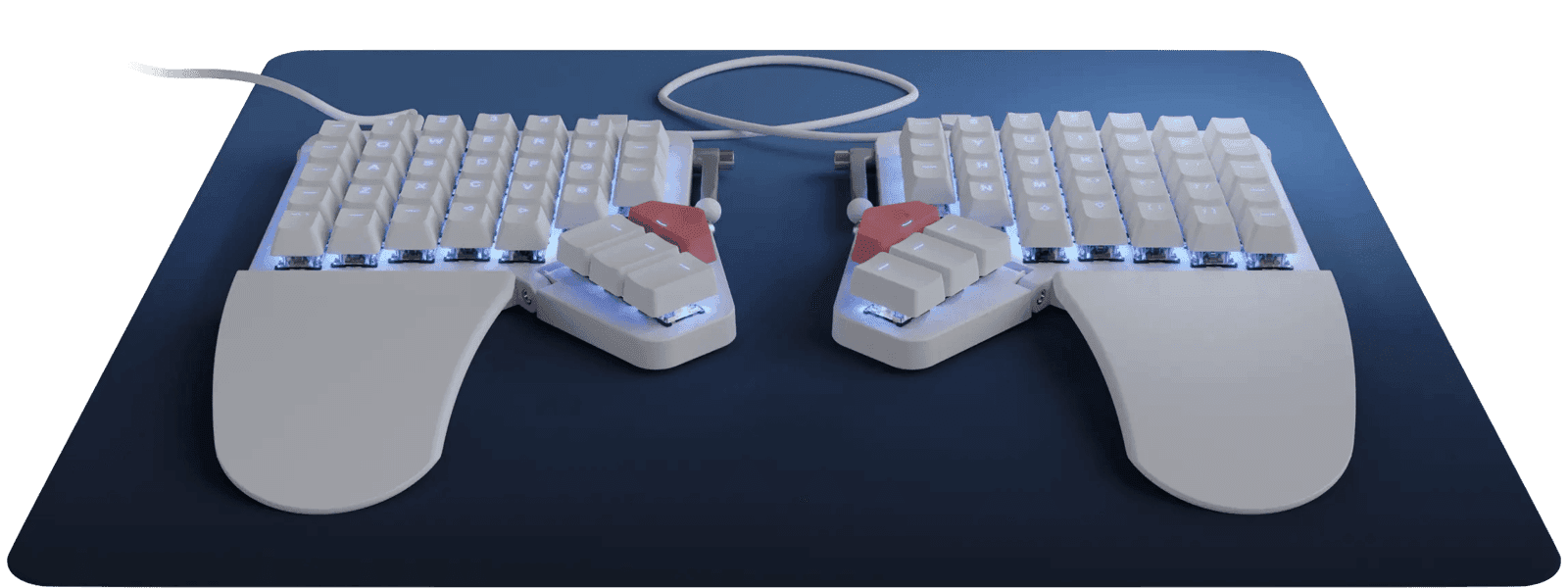
I spent the first week on the Moonlander typing at about 22 words per minute and missing the comma key every third sentence. By week three I was at 60 WPM and starting to wonder why I'd ever used a staggered keyboard. By week six I had a custom layer setup with macros for my IDE, a Hyper-key shortcut for window management, and a left-thumb chord for switching desktops, and I could not imagine going back. This is the genuine Moonlander experience, and the only honest thing I can tell you is that I am one of the converts. The other half of the people who buy this keyboard return it within thirty days, and they aren't wrong either.
The pitch is the split. The two halves of the Moonlander separate by a TRRS cable, which means you can put each half wherever your shoulders want them to be. For me that means about 18 inches apart with the halves tented at maybe 15 degrees. The first time you type with your hands at your shoulders' natural width instead of pinched together in front of your sternum, your upper back relaxes in a way that's physically noticeable. If you have any kind of repetitive-strain issue from a normal keyboard, this is the change that actually matters.
The ortholinear layout — keys in a grid instead of the staggered rows inherited from typewriters — is the second change, and it's the one that breaks your muscle memory. Touch typists relearn the position of every key on the bottom row. The thumb clusters add six more keys per hand under your thumbs, which is where the real productivity gains come from once you learn to use them. Mine handle Space, Enter, Backspace, Tab, Escape, and a layer-shift, which means my fingers almost never leave the home row.
QMK with the Oryx web configurator is the firmware, and the configurator is excellent. You design your layout, your layers, your macros, your tap-hold behaviors in a browser and flash them to the board. Multi-layer setups let you turn one physical key into ten different functions depending on which layer is active. The learning curve here is real — most users iterate on their layout for months — but the end state is a keyboard that fits your specific workflow in a way no off-the-shelf board ever could.
The case against is also real. The build quality feels plastic for a board that costs $365 to $400, which is the most common complaint and a fair one. The thumb cluster reach is awkward for smaller hands, and the inner thumb keys especially are a stretch I never fully got used to. The dedicated function row and Escape key are missing — you set them up on a layer before the keyboard is usable, which is a strange thing to require on day one. The stock keycaps and switches feel cheap next to the price, and most enthusiasts swap both within a few months.
The deeper issue is that this is a keyboard you commit to, not a keyboard you sample. There is no "trying it out for a week." The first four to six weeks are uncomfortable in ways that test your patience, and the only way to know if you'll make it through is to make it through. I'd only recommend buying it if you already know you have a specific problem a standard keyboard can't solve — RSI, posture issues, a desire to invest in custom programmability for code or a specialized workflow.
For everyone else, the math is brutal. $400 and six weeks of slow typing for an outcome that might be a transformation or might be a return. The community's love for the Moonlander is real, but it's a love that survived a brutal initiation. Walk in knowing that.
Verdict: Buy this if you already know you have RSI or posture problems a normal keyboard makes worse, or you're a programmer who wants to invest in a custom layer setup for the rest of your career. For anyone else, the Keychron Q1 Pro at half the price and none of the learning curve is the better starting point.